Autopilot • One‑Click Campaigns

Launch complete campaign sets for dozens of products in a few clicks.

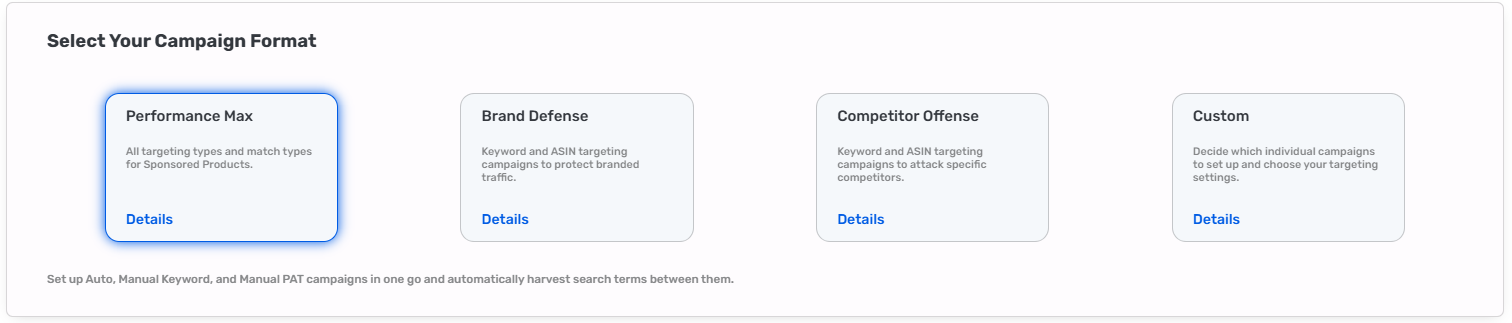
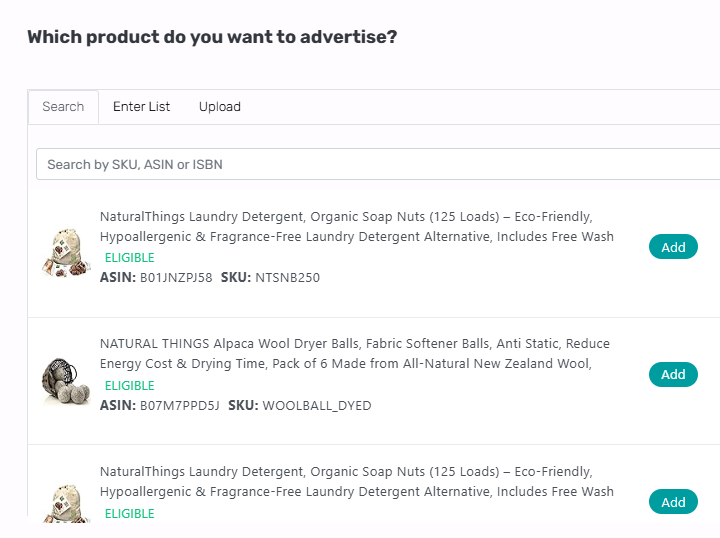
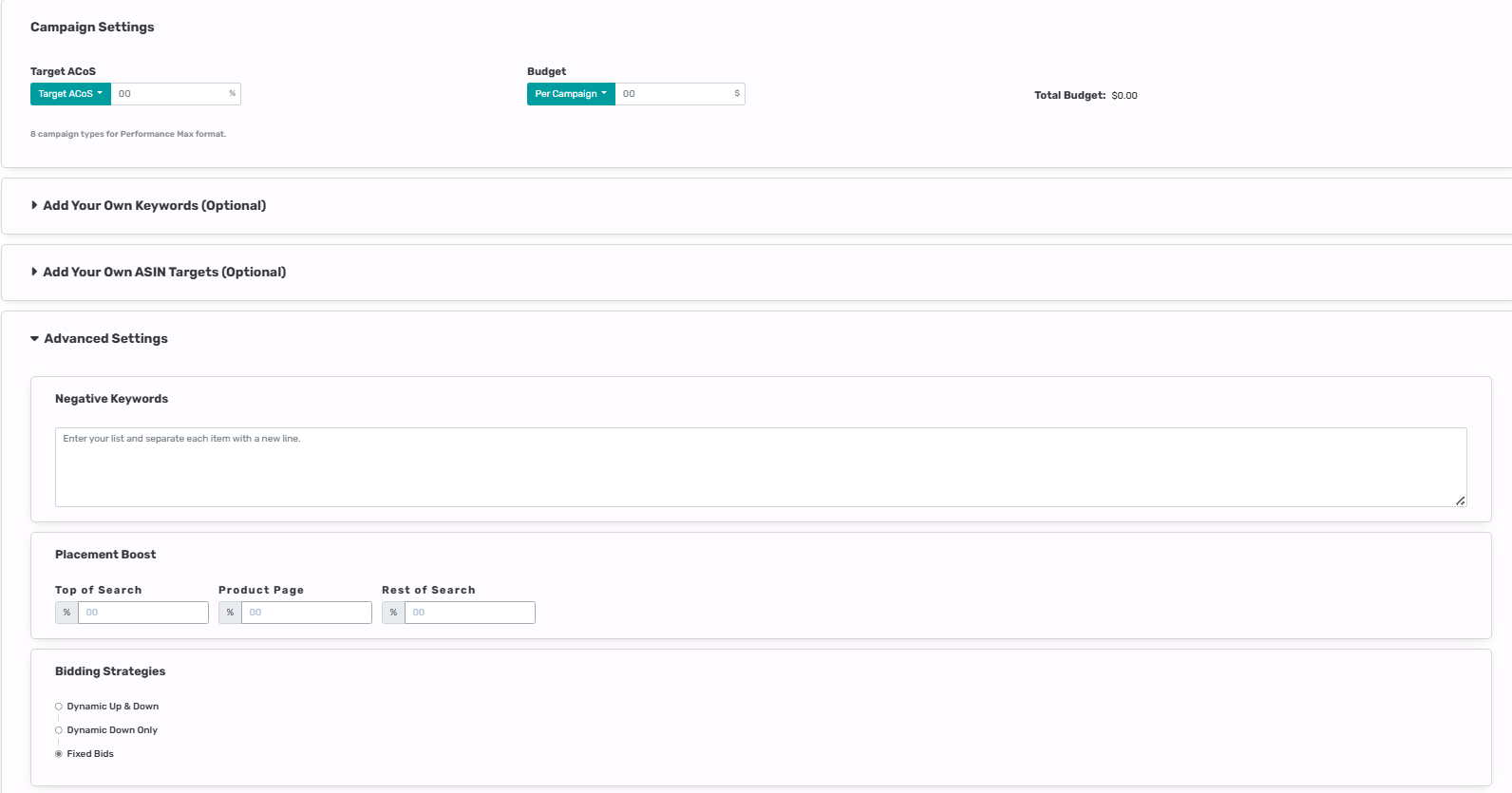
Pick your products, choose the campaign types, and let Autopilot do the heavy lifting: it harvests keywords, finds competitors, sets budgets, builds brand defense and competitor targeting, then deploys everything in minutes. Whether you have one product or hundreds, AiHello creates the right structure with one product per ad group and multiple campaigns per product. You’ll also get recommended ACoS and budgets and you can override them anytime.

Start one‑click setup Customize targets & budgets Auto • Manual (Exact/Phrase) • Competitor • Brand Defense
Scale
1 → 100s of products
Structure
1 product / ad group
Hints
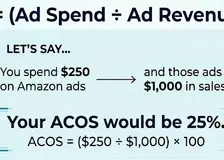
ACoS & budget
Repricer Overview Screenshot

What gets created

Auto discovery

Auto campaigns to explore new queries. Coupled with harvesting & negation to push winners into control.

Manual performance

Exact/Phrase campaigns seeded with harvested keywords and your optional seed list for immediate control.

Brand defense

Protect your brand terms and product detail pages so competitors don’t siphon demand.

Competitor conquesting

Target key rivals’ ASINs and category placements with tuned bids and placements.

Budgets & ACoS targets

Smart defaults based on price, velocity, and historical efficiency with full override control.

Naming & structure

Consistent naming, 1 product per ad group, and campaign tags for clean reporting and scaling.

Fast setup (inputs)

Products

Select SKUs/ASINs; bulk‑select from filters (inventory, price, margin, marketplace).

ACoS target

Use our hint or override with your own value per product or globally.

Daily budgets

Accept suggested budgets or set your own per product and campaign type.

Keywords (optional)

Paste seed keywords; Autopilot will still harvest the best from search terms.

Competitors (optional)

Add competitor ASINs; we’ll also suggest targets based on overlap and category.

Repricer Overview Screenshot

How it works

1
Select products & types

Pick the SKUs and campaign types (Auto, Manual Exact/Phrase, Brand Defense, Competitor).

2
AiHello prepares assets

We harvest keywords, find competitors, and compute suggested ACoS & budgets per product.

3
Review & override

Edit seeds, targets, bids, or budgets. Your overrides take precedence.

4
Generate structure

We create campaigns with one product per ad group, correct naming, placements, and tags.

5
Go live & optimize

Turn on Autopilot modules (harvesting, negation, bid optimization, dayparting) for ongoing control.

Campaign matrix (placeholder)

Product
Auto
Manual Exact
Manual Phrase
Competitor
Brand Defense
SKU‑A
✔
✔
✔
✔
✔
SKU‑B
✔
✔
✔
✔
✔
SKU‑C
✔
✔
✔
✔
✔

Replace with your actual matrix or a screenshot of the final confirmation screen.

Best practices

Keep 1× product / ad group

Gives you precise control for bids, budgets, and search term routing.

Start with suggested budgets

Use hints for week 1, then tune after data flows. Avoid starving performance campaigns.

Turn on harvesting + negation

Promote winners to Manual campaigns and negate in Auto to prevent double spend.

Name consistently

Use prefixes (e.g., [SKU]-Auto, [SKU]-Exact) for reporting & filters.

Map variations intentionally

Separate low vs. high price points to avoid blended efficiency targets.

Review weekly

Glance at early performance; adjust ACoS targets, budgets, and competitor lists.

See it in action

Repricer Overview Screenshot

Recommended 16:9 aspect. Add captions to call out the matrix, ACoS hints, and overrides.