Autopilot Module • Automated Dayparting

Boost bids automatically by hour and weekday and no manual toggling.

Unlike manual dayparting (which turns campaigns or products ON/OFF), Automated Dayparting uses your data to boost bids during high‑performing hours and days. It does not reduce bids; it only applies positive multipliers. Setup is one click per campaign. AiHello analyzes the last 3 months of sales and conversion rates by hour and weekday, generates bid‑boost rules, and syncs them to Amazon. You can review the rules inside AiHello or in your Amazon Advertising console.

Lookback window
Last 90 days
Action type
Bid boosts only
Scope
Per campaign
Repricer Overview Screenshot

Why automated dayparting?

Hands‑off optimization

We compute hourly and weekday multipliers from real performance, then apply boosts automatically.

Preserves delivery

Because it doesn’t turn campaigns off, you avoid learning resets and keep eligible impressions.

Aligned with intent

Higher bid multipliers during peak intent hours help capture incremental volume without manual micromanagement.

Heads‑up:
Automated Dayparting boosts only. If you need to pause spend entirely at certain hours, use Manual Dayparting (campaign or product level).

How it works

1
Pick a campaign

Automated Dayparting is enabled per campaign for precise control.

2
AiHello analyzes performance

We evaluate hourly & weekday sales and conversion rates from the last 90 days to identify high‑opportunity windows.

3
Bid‑boost rules are generated

For each hour/weekday combo, we create a positive multiplier that raises your effective bid in strong windows.

4
Rules sync to Amazon

Multipliers are pushed to Amazon and visible both in AiHello and your Amazon Advertising console.
What you’ll see

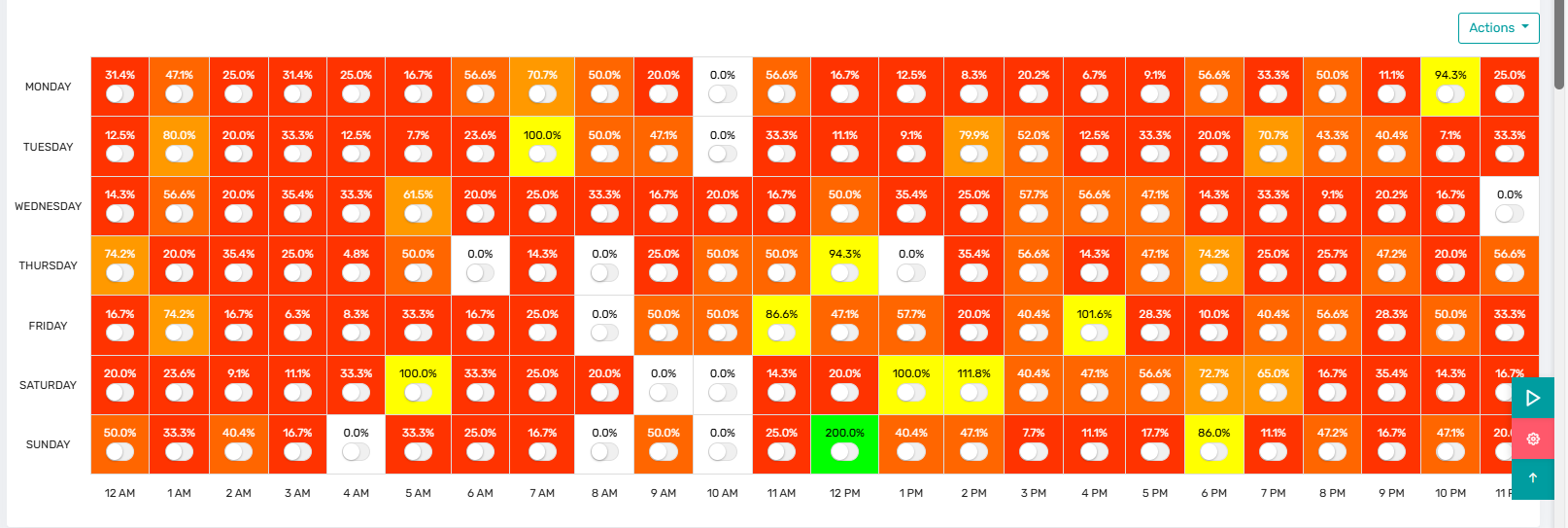
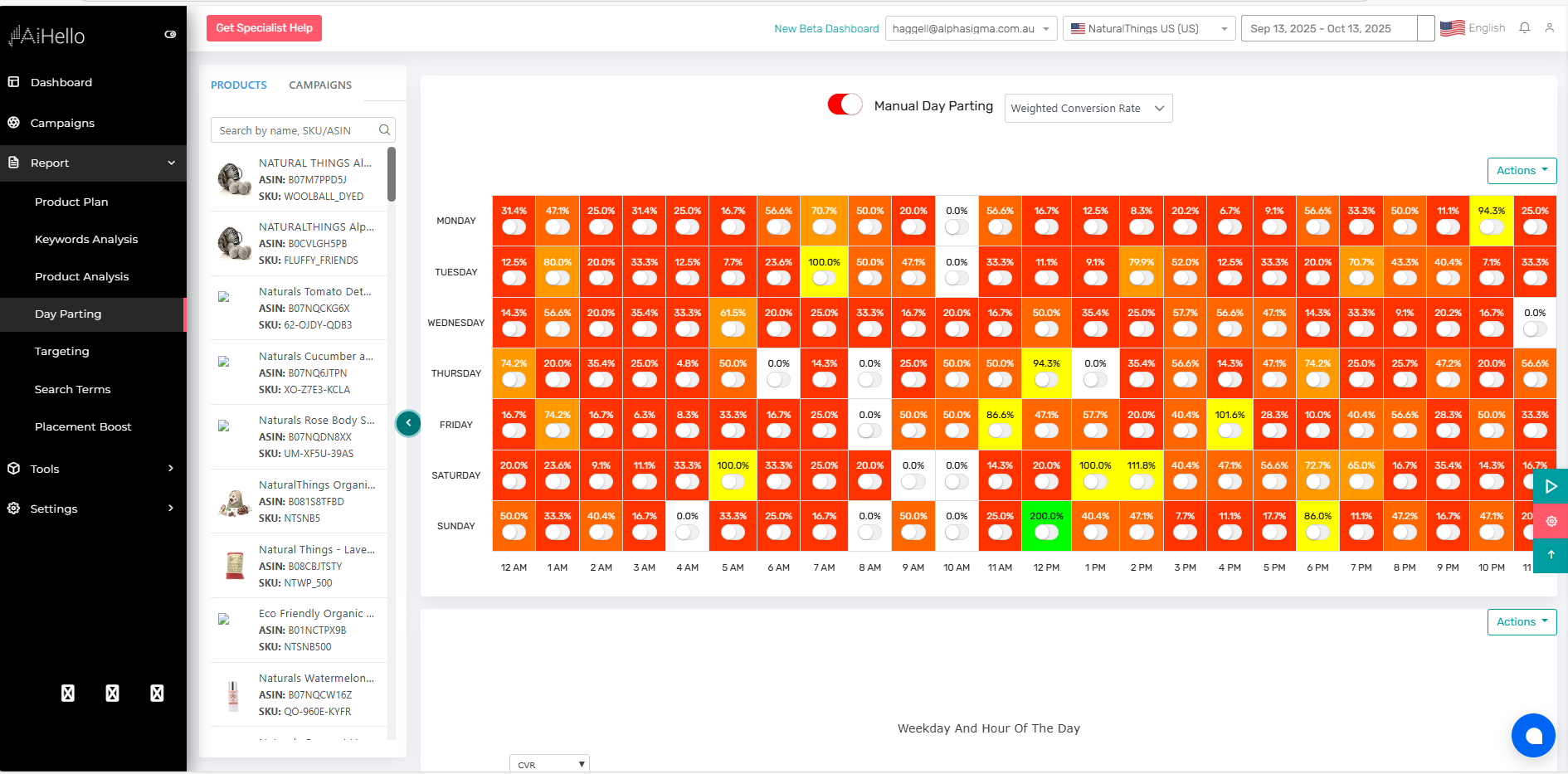
The UI provides a clear view of the schedule and multipliers so you can understand when and why bids are boosted.

Hourly multipliers

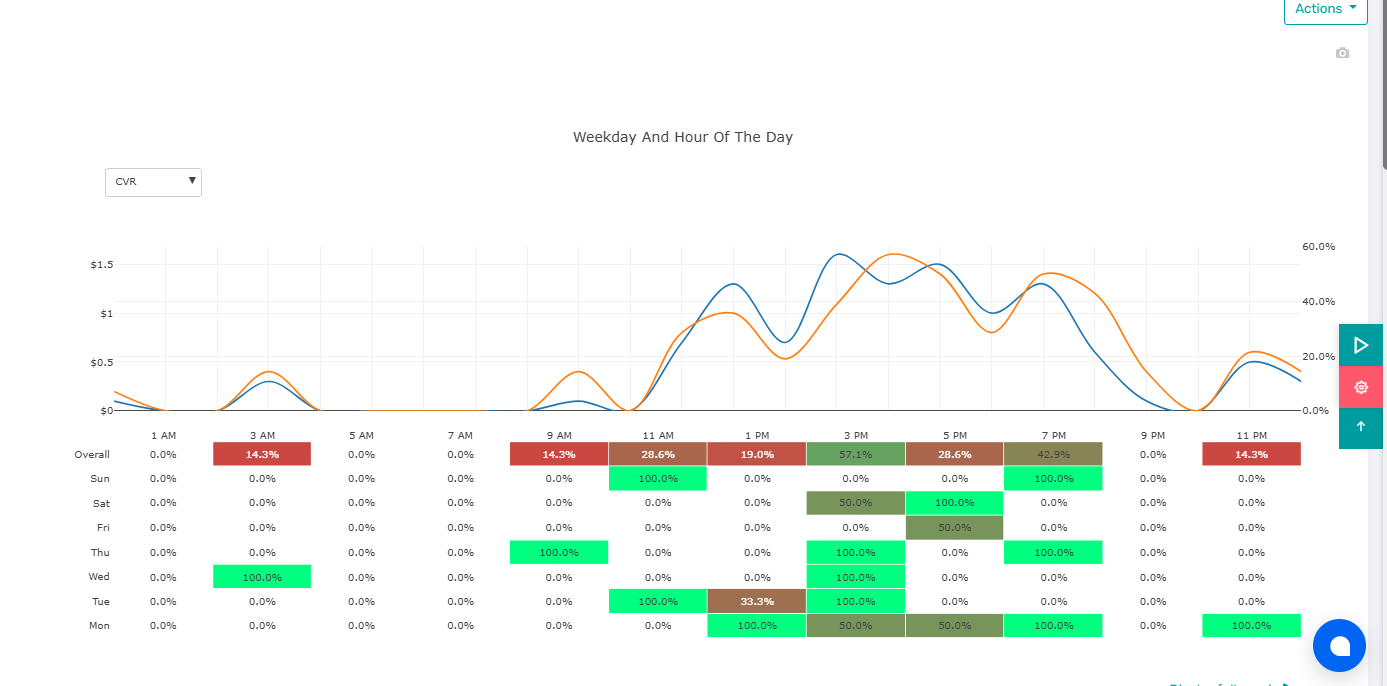
A table/heatmap showing boosts by hour for each weekday.

Inputs used

Last‑90‑day sales and conversion rate by hour & weekday drive the model.

Sync status

Confirmation that rules are live on Amazon, with the last sync timestamp.

Repricer Overview Screenshot
Screenshot: Sync status to Amazon
Repricer Overview Screenshot

When to use automated vs. manual

Automated (this module)

  • Keep delivery, nudge bids up in strong windows.
  • Good for discovery and scaling volume.
  • No bid reductions; use when off‑hours still merit some spend.

Manual (campaign/product)

  • Hard OFF/ON windows to control spend.
  • Good for strict budget discipline or low LTV items.
  • Use when you truly want $0 during specific hours.

Notes & best practices

Let it learn

Give the system time after major seasonality or pricing shifts so the next 90‑day window stabilizes.

Pair with budgets

Ensure daily budgets can handle uplift during boosted hours; otherwise you may cap early.

Audit periodically

Glance at the heatmap monthly; if your market moved, re‑enable to refresh multipliers.

See it in action

Repricer Overview Screenshot

Recommended 16:9 aspect. Use captions to call out key boosts.