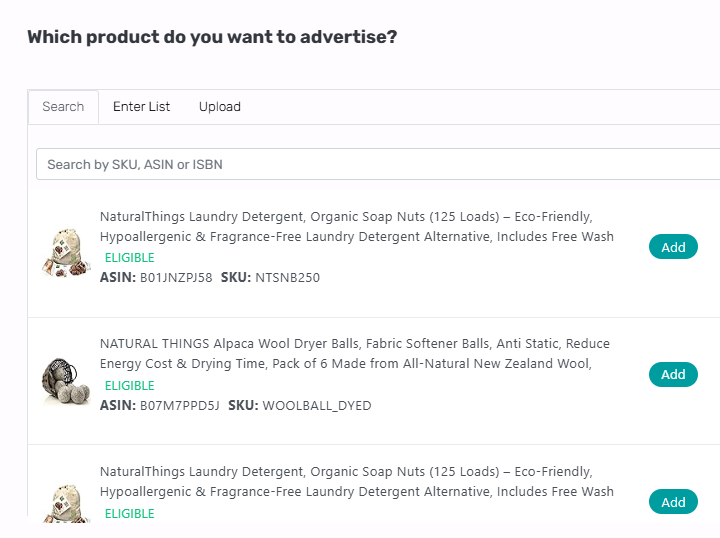
Prefer to think in products, not campaigns? With Dayparting by Products, AiHello pauses and resumes every campaign tied to a product (SP/SB/SD) according to a single, product‑centric schedule. It’s the fastest way to align budgets with buyer behavior when a SKU runs across multiple structures. For many goals, product‑level dayparting is recommended over campaign‑level scheduling.

Switch OFF/ON all campaigns for a product at once with no more duplicate schedules per campaign.
Perfect when your objective (profit, inventory, seasonality) is best enforced per SKU rather than per campaign.
Eliminates leakage where one campaign keeps spending in a low‑value window while others are paused.
Choose one or more products. Optionally group variants or related items to share a schedule.
Apply to all linked campaigns (SP/SB/SD) or select a subset. The schedule cascades automatically.
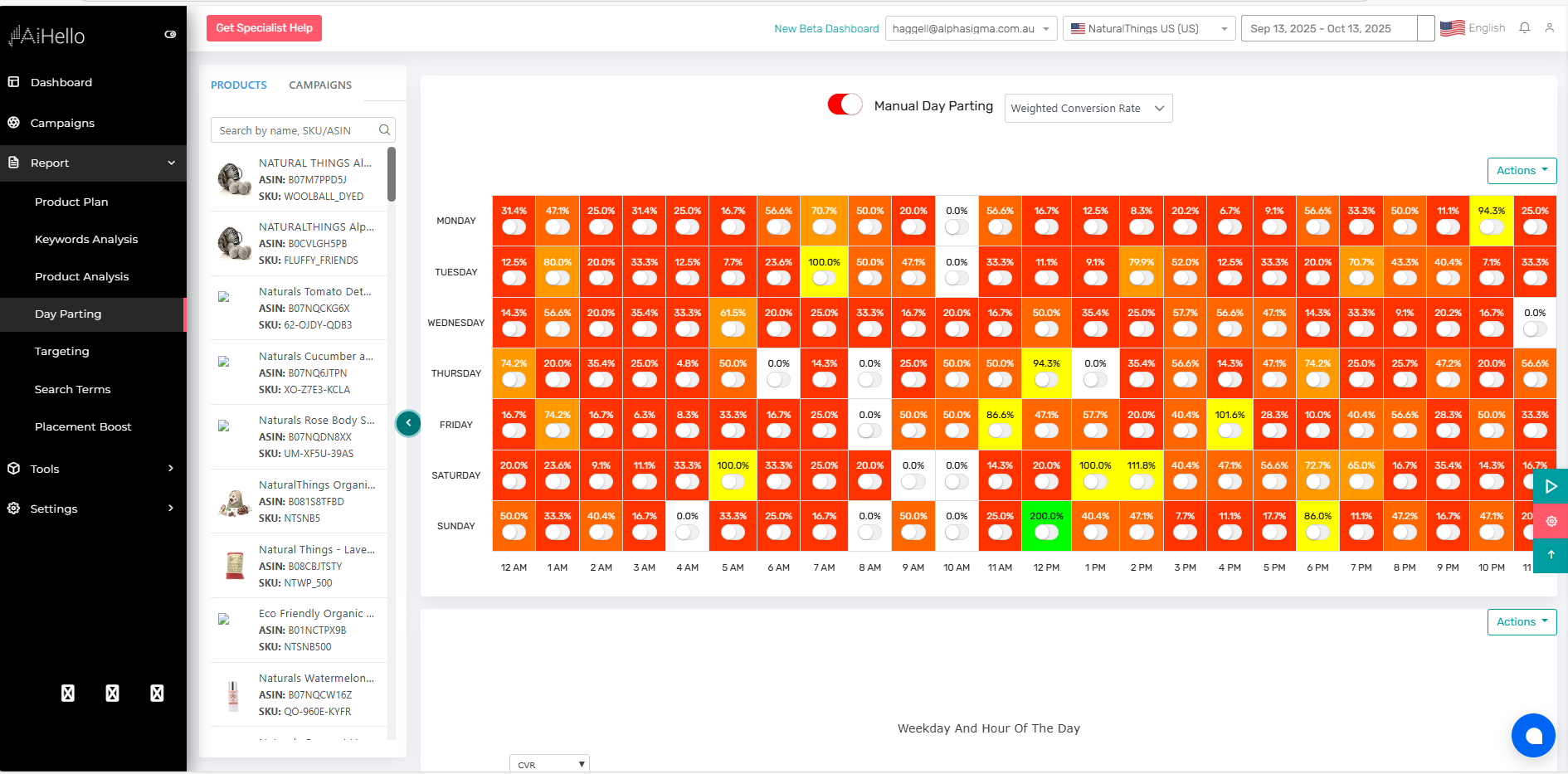
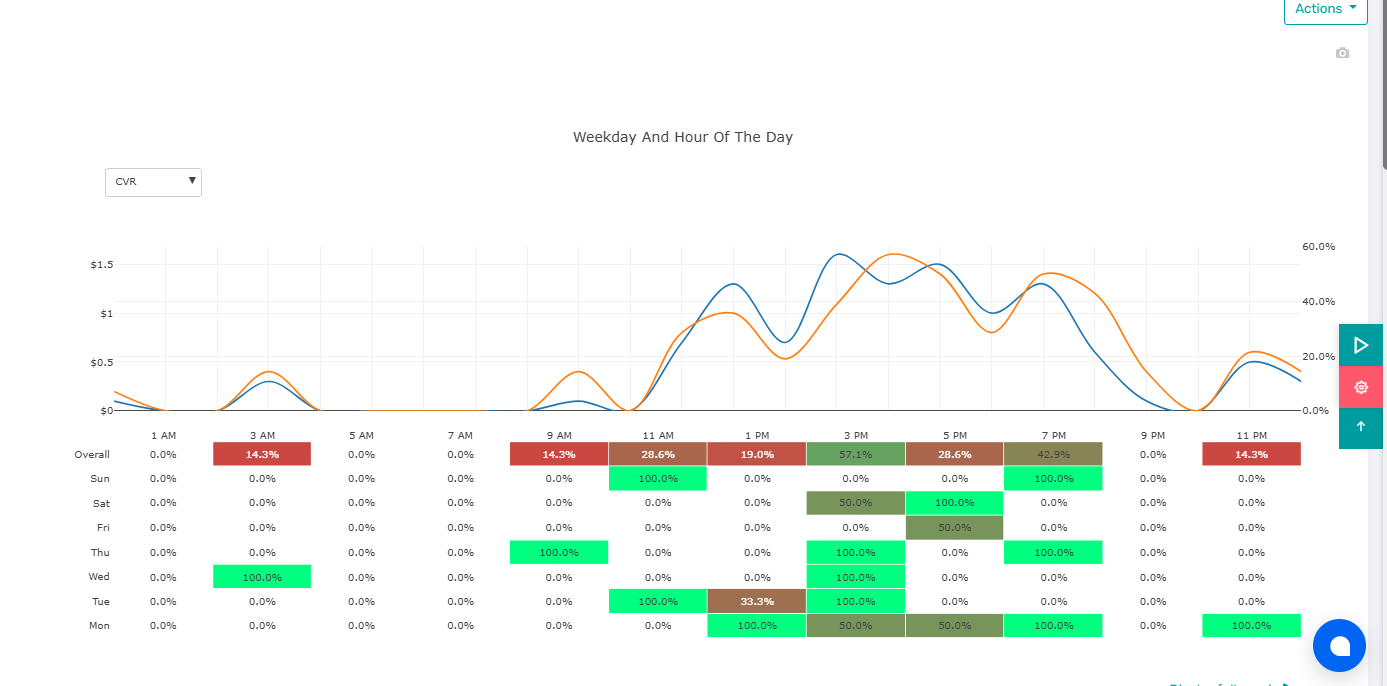
Use the product view to compare conversion rate, weighted conversion rate, CTR, sales, and clicks by hour and weekday.
Click‑drag to mark OFF windows (e.g., 01:00–06:00). Add exceptions for specific campaigns if needed.
AiHello will pause/resume all selected campaigns for the product automatically. Revisit monthly or around seasonality.
Everything you need to make smart scheduling calls in one place, centered on the product.
Search by SKU/ASIN. Bulk‑select related items to mirror schedules.
Hourly/weekday heatmap showing CR, weighted CR, CTR, sales, and clicks for the product.
Toggle which campaigns will inherit the schedule. Great for excluding awareness layers.
Product‑level OFF overrides campaign‑level ON by default. You can create explicit exceptions.

Replace with your actual product‑level chart screenshot. Recommended 16:9 aspect.
If a product runs across SP/SB/SD, product‑level scheduling keeps every layer in sync.
Begin with clear ON blocks and a single OFF window (e.g., 01:00–06:00). Tighten once data confirms.
Big price or stock changes can shift peak hours. Re‑evaluate schedules after changes.

Add captions under screenshots to call out decisions (e.g., OFF 01:00–06:00 Mon–Sun).