Autopilot Module • Search Term Harvesting

Turn winning search terms into revenue‑generating keywords, automatically.

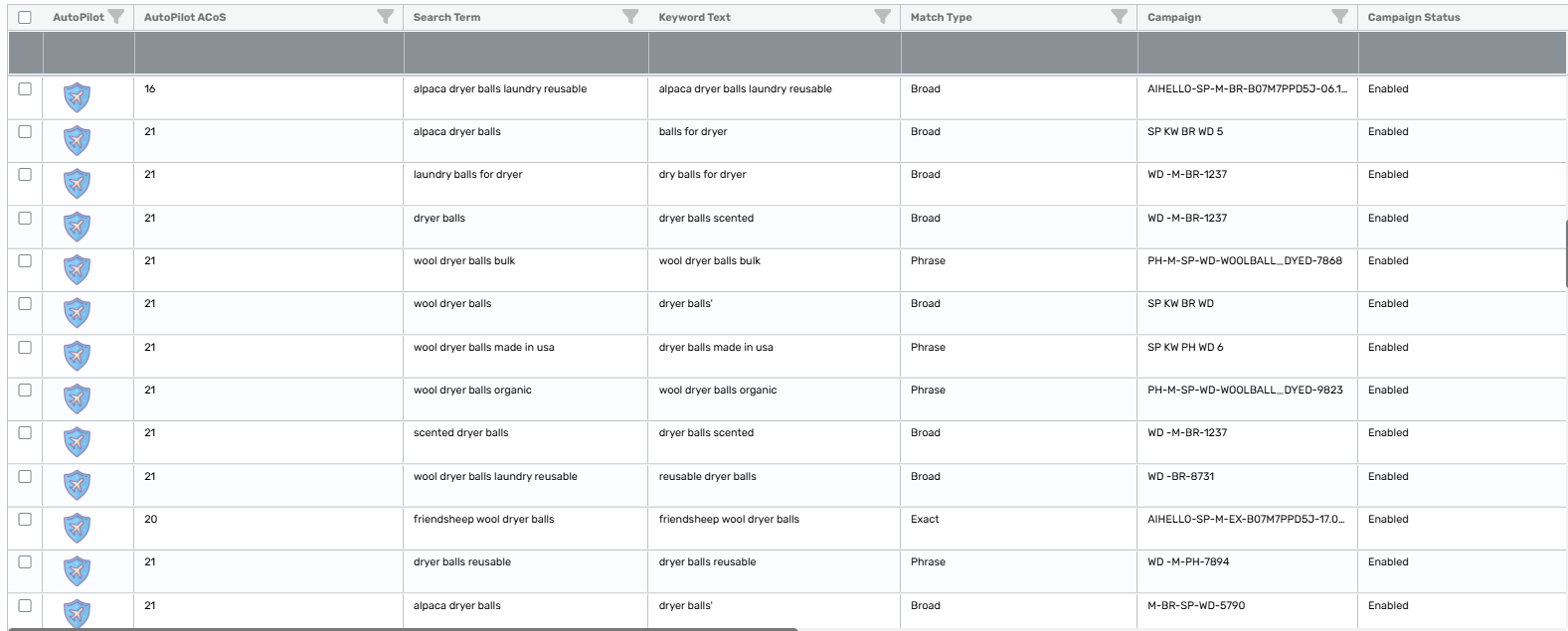
In Autopilot → Search Term Harvesting, AiHello scans your live search terms, identifies strong performers, and moves them into the right campaigns for scale. Terms are collected per SKU so each product builds its own winning keyword set. Optionally, the harvested term can be automatically negated in its source (e.g., Auto) campaign to stop double‑spend and tighten funnel precision.

Open Autopilot Settings View Docs Setup time: ~2–5 minutes
Example threshold
≥ 3 sales
Scope
Per SKU
Source
Auto / Discovery
Repricer Overview Screenshot

What it does

AiHello continuously analyzes the actual customer search terms that drive results. When a term crosses your success threshold, we promote it into the appropriate target campaign so it can get the budget and bidding discipline it deserves.

Promote winners

Good‑performing search terms become managed keywords in your chosen campaigns (e.g., Exact / Phrase in a Performance campaign).

Per‑SKU intelligence

Terms are collected and evaluated at the SKU level, so each product grows its own winning set without cross‑contamination.

Auto‑negation (optional)

After promotion, automatically negate the term in the source campaign (e.g., Auto) to eliminate duplicate spend and improve precision.

How it works

1
Choose scope & targets

Select the SKU(s) this rule applies to and the destination campaign(s) where harvested keywords should be added.

2
Set a sales threshold

Define the minimum number of attributed sales a search term must reach before it’s harvested (e.g., ≥ 2 sales). Start conservative and tighten later.

3
Enable “Negate in source” (optional)

If the term came from an Auto campaign, toggle this on to automatically negate the exact term in the source after promotion.

4
Review & activate

Save the rule. AiHello continuously monitors new search terms, promotes winners, and keeps your structure clean, hands‑off.

Settings overview

These are the core controls you’ll configure when setting up Search Term Harvesting.

Sales threshold

Minimum number of sales required before a term is promoted (e.g., 2, 3, 5).

Per‑SKU collection

Rules operate per SKU so that every product curates its own best‑performing terms.

Destination campaign

Where promoted keywords should land (e.g., product’s primary Exact/Phrase campaign).

Auto‑negation

Negate the exact term in the source (like Auto) after promotion to avoid overlap.

Screenshot: Rule configuration
Screenshot: Negate in source toggle

Best practices

Start conservative

Begin with a higher sales threshold (e.g., 3+) to ensure only consistent performers are promoted.

Separate by match type

Send harvested terms to Exact/Phrase campaigns with tighter bids to lock in efficiency.

Negate to de‑duplicate

If you promote from Auto, turn on auto‑negation to stop paying twice for the same term.

See it in action

Screenshot: Before/After performance chart

Replace the placeholders with your actual screenshots. Recommended aspect ratio 16:9.